Create Your Bot
3. Step-by-Step: Creating Your Bot on BotFather
BotFather is Telegram's official tool for creating and managing bots. You only need to do this once.
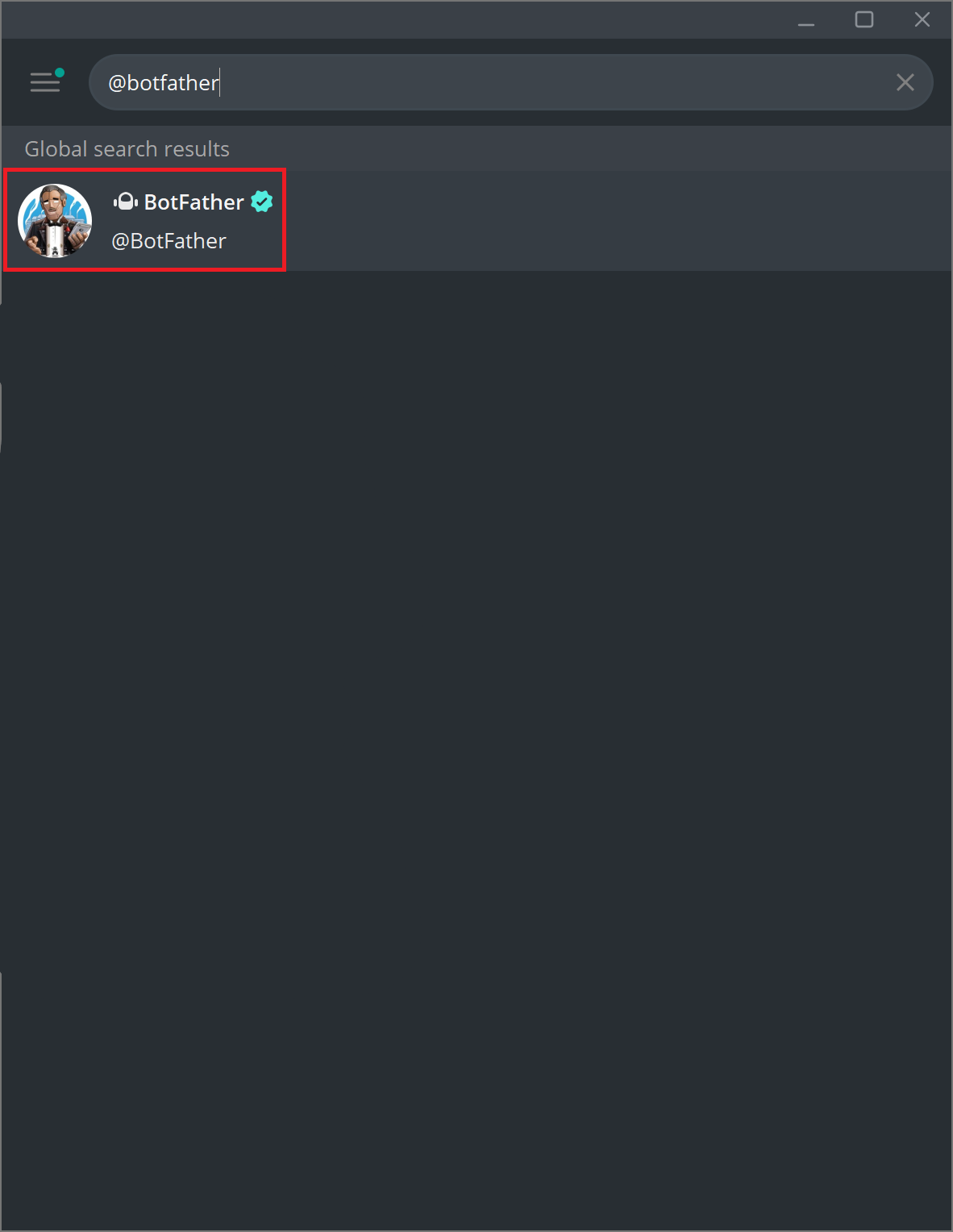
Step 3.1 — Open Telegram and search for @BotFather in the search bar. Make sure it has a blue checkmark (verified). Tap on it.
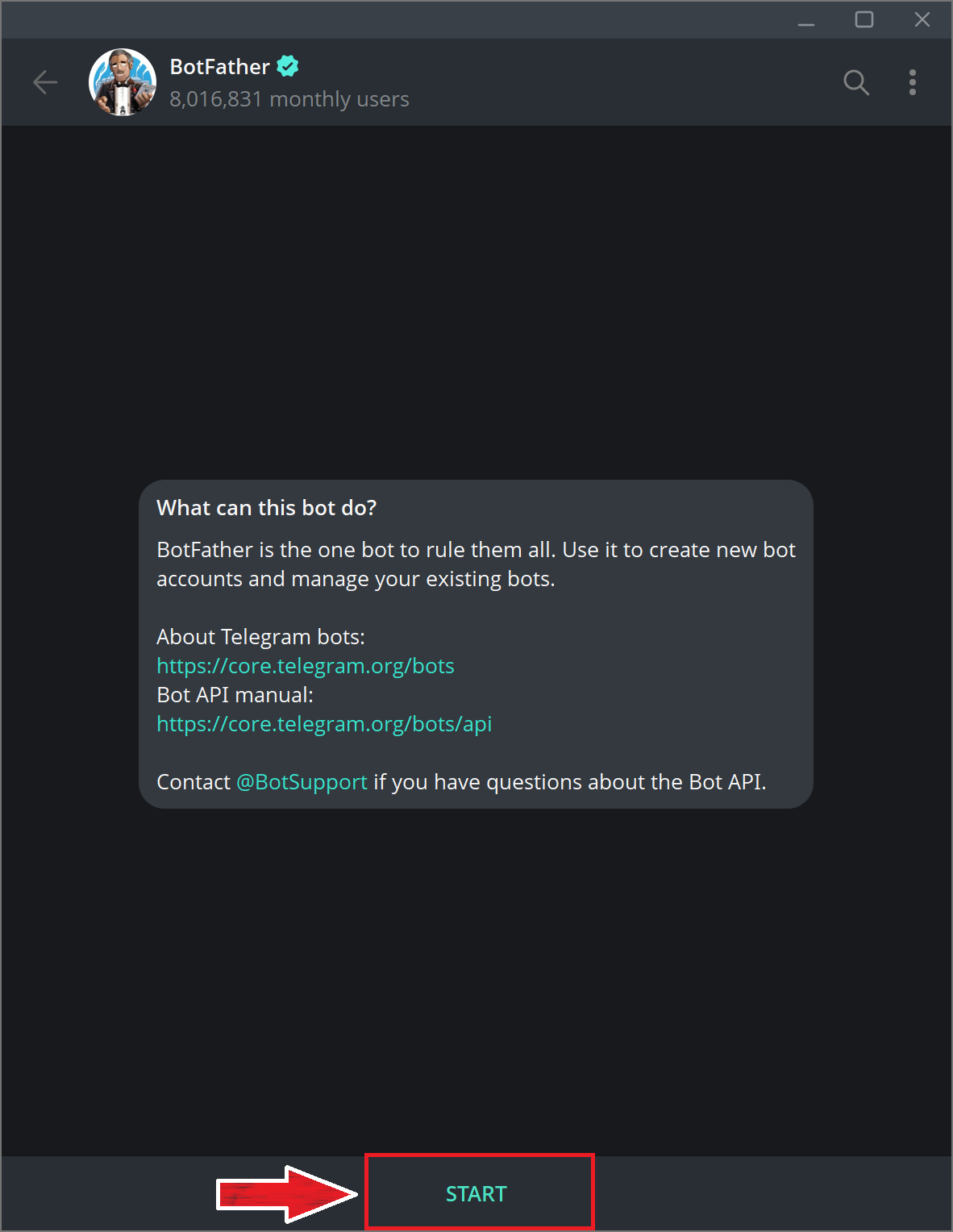
Step 3.2 — Tap Start or send the message /start to begin a conversation with BotFather.
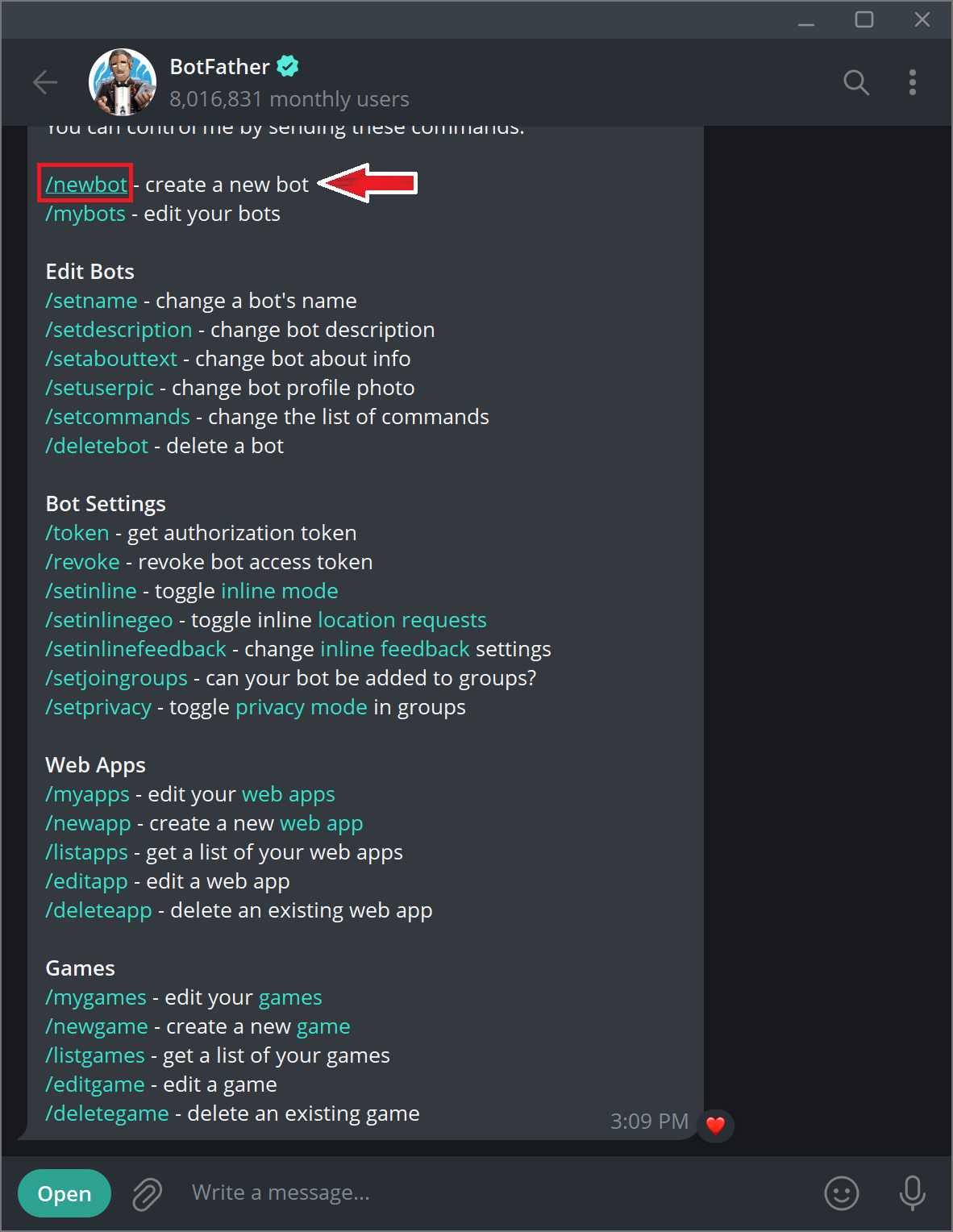
Step 3.3 — Send the command /newbot to create a new bot.
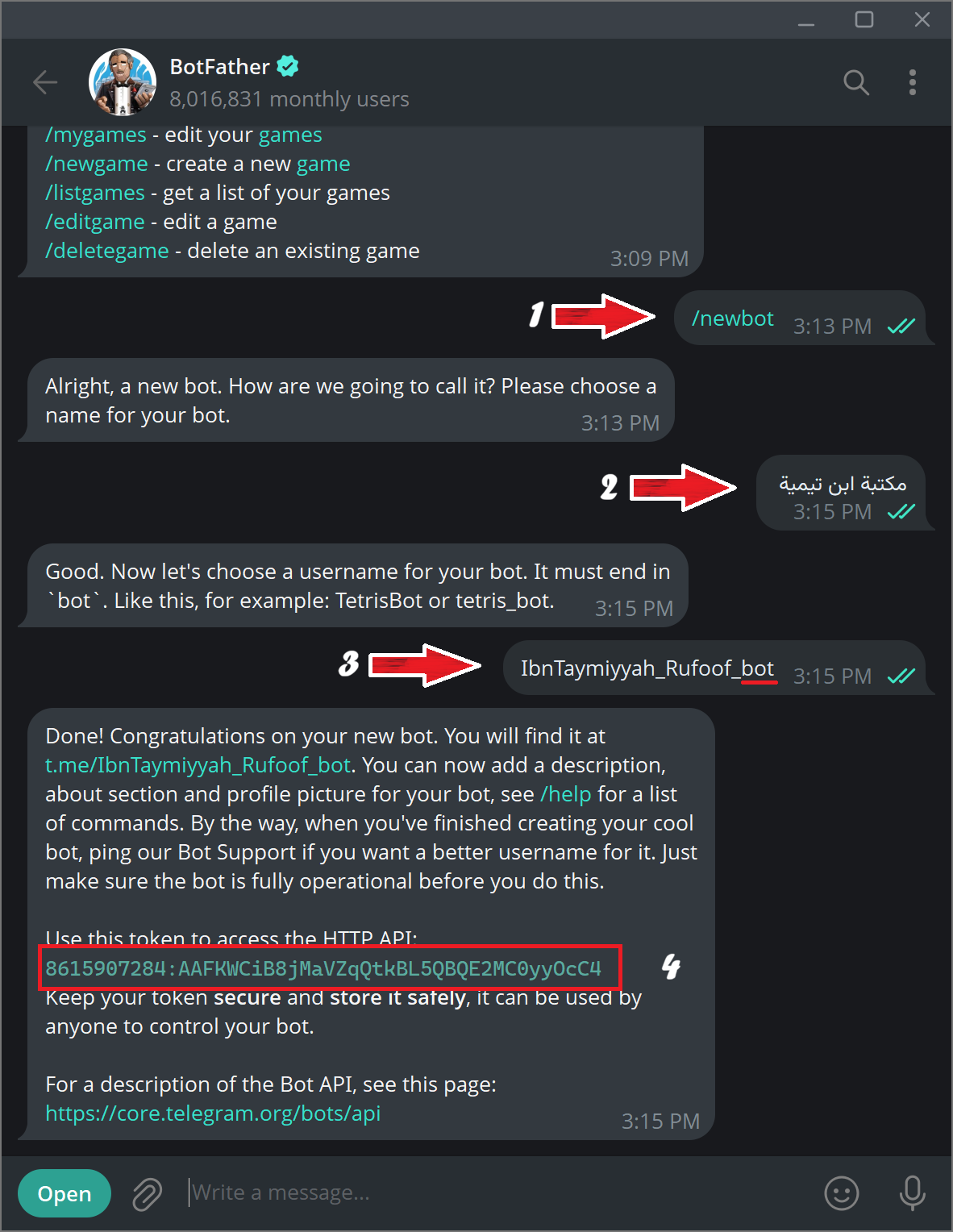
Step 3.4 — BotFather will ask you for a name for your bot. This is the display name that users will see (for example: مكتبة ابن تيمية or Ibn Taymiyyah Library). Type the name and send it.
Step 3.5 — BotFather will then ask for a username for your bot. The username must:
- End with the word bot (e.g., mytopicbot or my_topic_bot).
- Contain only English letters, numbers, and underscores.
- Be unique — no other bot can have the same username.
Type your chosen username and send it.
Step 3.6 — BotFather will confirm that your bot has been created and send you a message containing your Bot Token. It looks like this:
123456789:ABCdefGHIjklMNOpqrsTUVwxyz-1234567
This token is the key to your bot. Copy it and keep it safe. Do not share it with anyone — whoever has this token can control your bot.
Important
If you ever accidentally share your token or suspect it has been compromised, you can generate a new one from BotFather using /revoke. See Customize Your Bot for how to update Rufoof after that.