First Launch
5. The Desktop App — First Launch
The Rufoof desktop app is best for uploading many files at once and for large files. It's available for Windows and macOS.
Register your bot first
A bot is registered inside Telegram, in the Mini App — see Create & Register a Bot. The desktop app connects to your already-registered bot to upload and organize its files.
Step 5.1 — Download Rufoof from the official Mariam Initiative channel: telegram.me/MariamInitiative. The Windows file is named something like Rufoof_V2.exe; on macOS it's a .dmg you open and drag to Applications.
Step 5.2 — Open the downloaded file to run it.
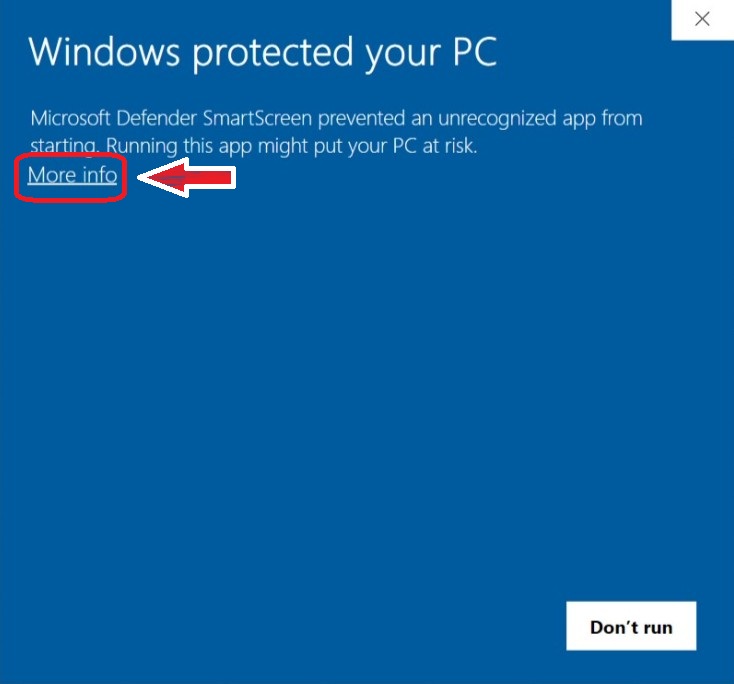
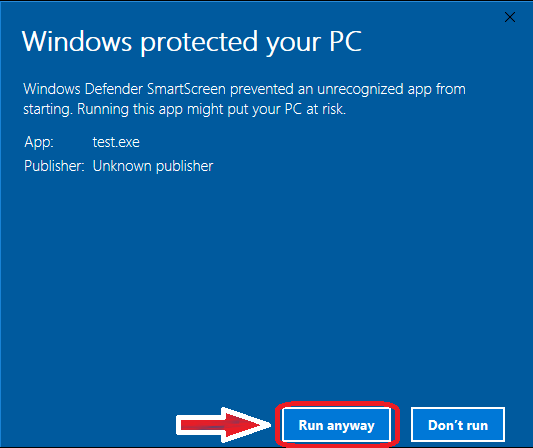
Step 5.3 (Windows) — On first run, Windows may show a blue "Windows protected your PC" screen. This is the standard SmartScreen notice for a newly released app — it does not mean Rufoof is harmful.
To proceed: 1. Click "More info" (a small link below the warning text). 2. Click the "Run anyway" button that appears.
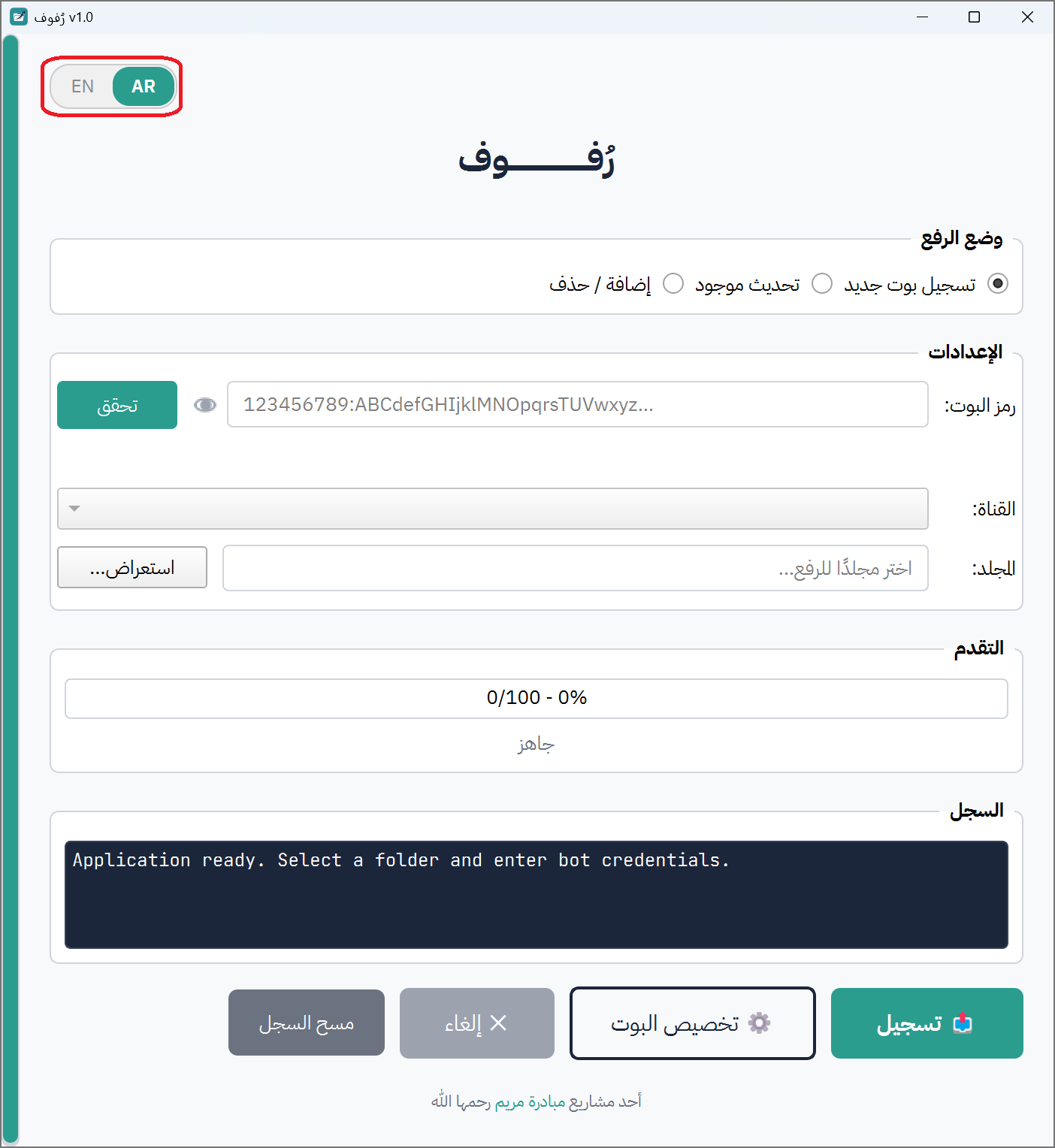
Step 5.4 — Rufoof opens. By default the interface is in Arabic. To switch to English, click the EN language toggle at the top of the window.
Next: The Setup Screen.