Create Your Channel
4. Step-by-Step: Creating Your Telegram Channel
Your channel is where Rufoof stores your files. Your users will never see it — it works behind the scenes.
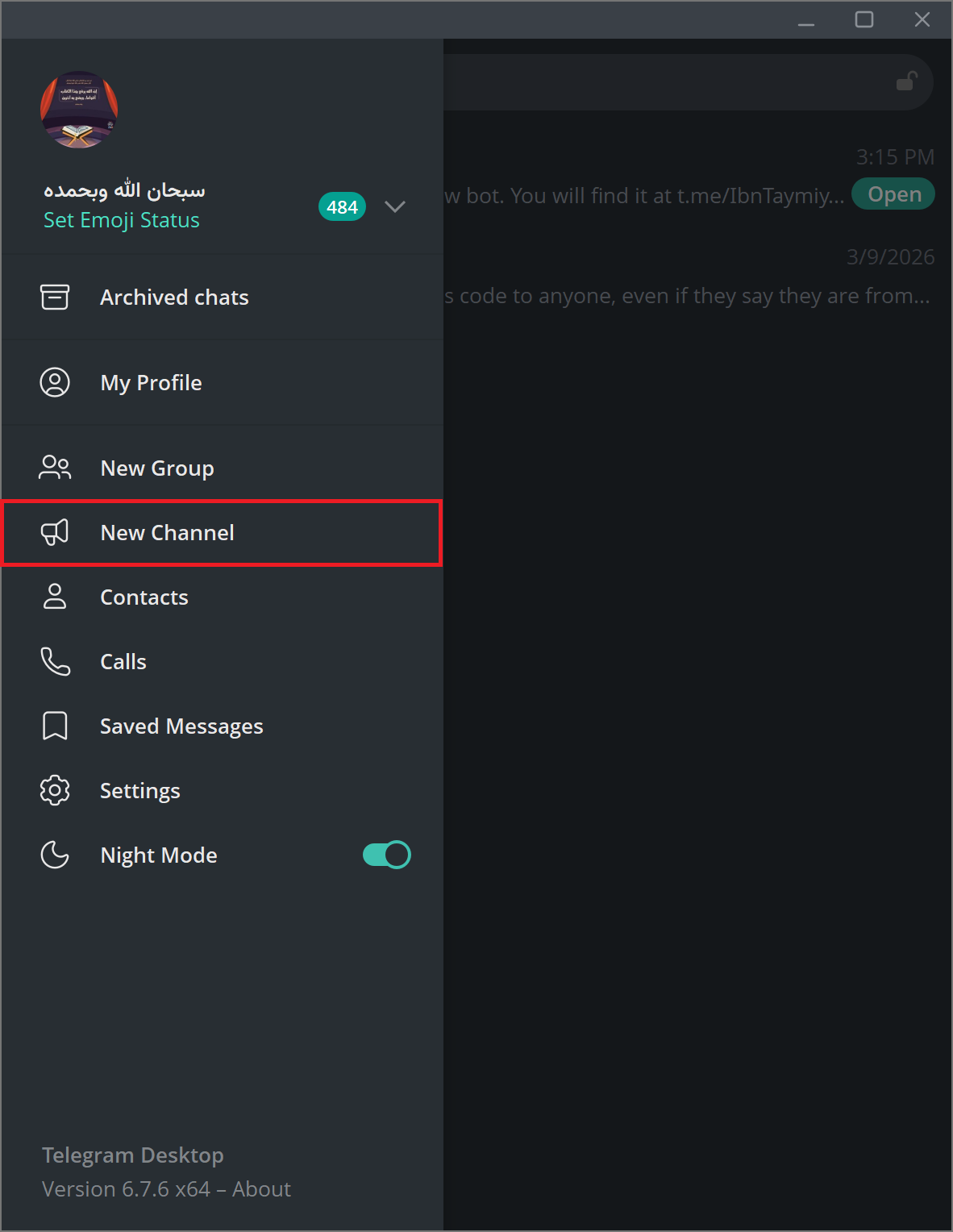
Step 4.1 — In Telegram, tap the compose/pencil icon (usually in the top-right corner) and select New Channel. Make sure you choose the channel option, NOT the group.
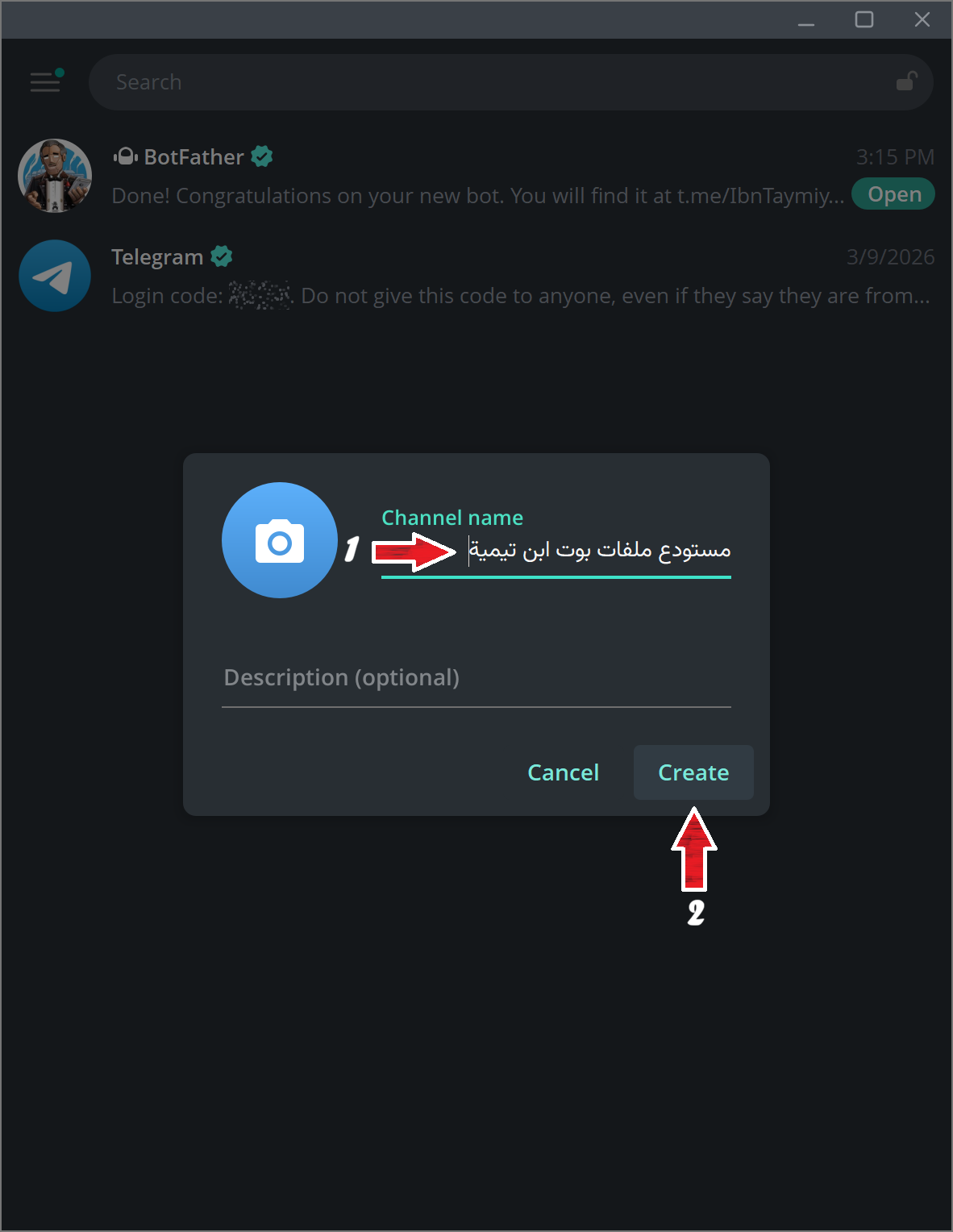
Step 4.2 — Give your channel a name (this is just for your reference — users won't see it) and an optional description. Tap Next.
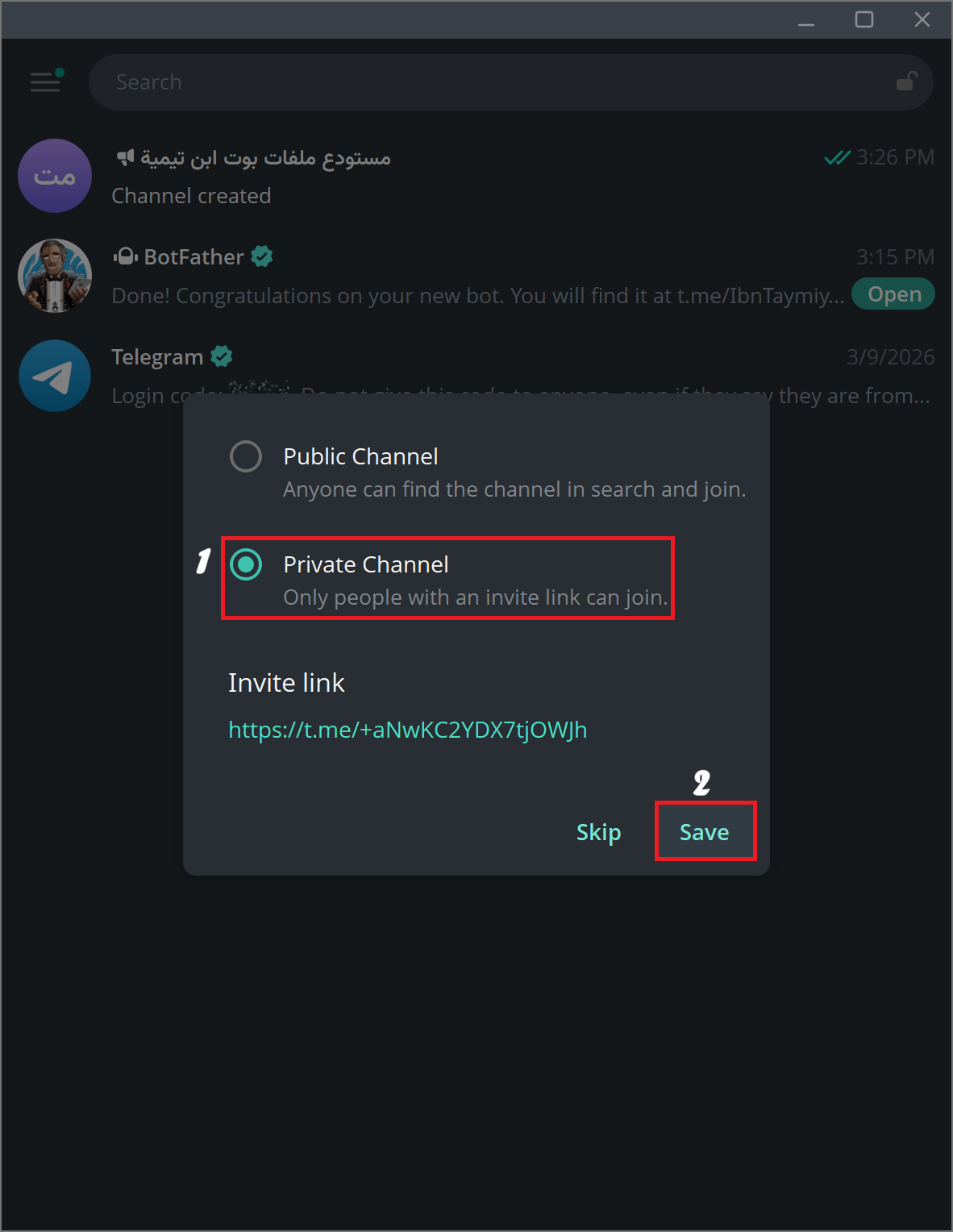
Step 4.3 — When asked about the channel type, choose Private. A private channel cannot be found by search and can only be joined via invite link. However, you can choose to keep it public if you want to. Tap Next.
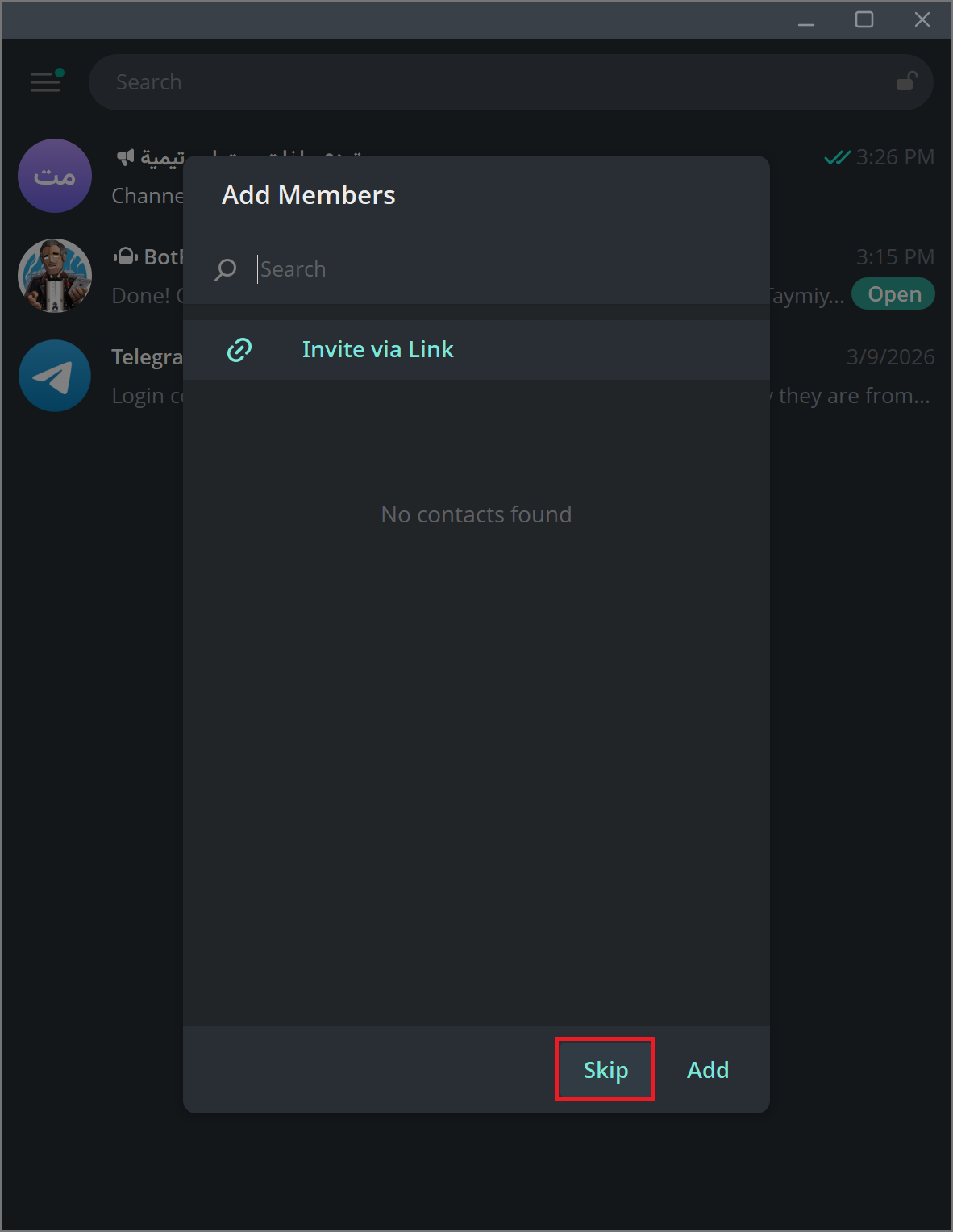
Step 4.4 — Skip the "Add Members" step — tap Skip or Done without adding anyone.
Your channel is now created. Do not add your bot to the channel yet — that step comes later, during registration inside Rufoof (Mode 1: Register). Adding the bot before that point means Rufoof will not be able to detect the channel automatically.
Can multiple bots share the same channel?
Technically yes, but it is generally discouraged. Each bot should have its own dedicated private channel. Sharing a channel risks one bot accidentally deleting messages that belong to another bot (Rufoof deletes channel messages when files are removed). If you have important files in an existing channel, create a fresh private channel for Rufoof instead.