Create & Register a Bot
14. Create & Register a Bot (Inside Telegram)
Registering a bot happens inside Telegram, in the Mini App. It walks you through creating the bot, connecting a storage channel, adding some content, and submitting it for approval — all without leaving Telegram.
Step 1 — Create your bot
Step 14.1 — On the dashboard, tap + Create a bot.
Step 14.2 — Tap Create bot in Telegram. Telegram will ask you to confirm creating a new bot — approve it, then come back to the Mini App. Your new bot appears automatically.
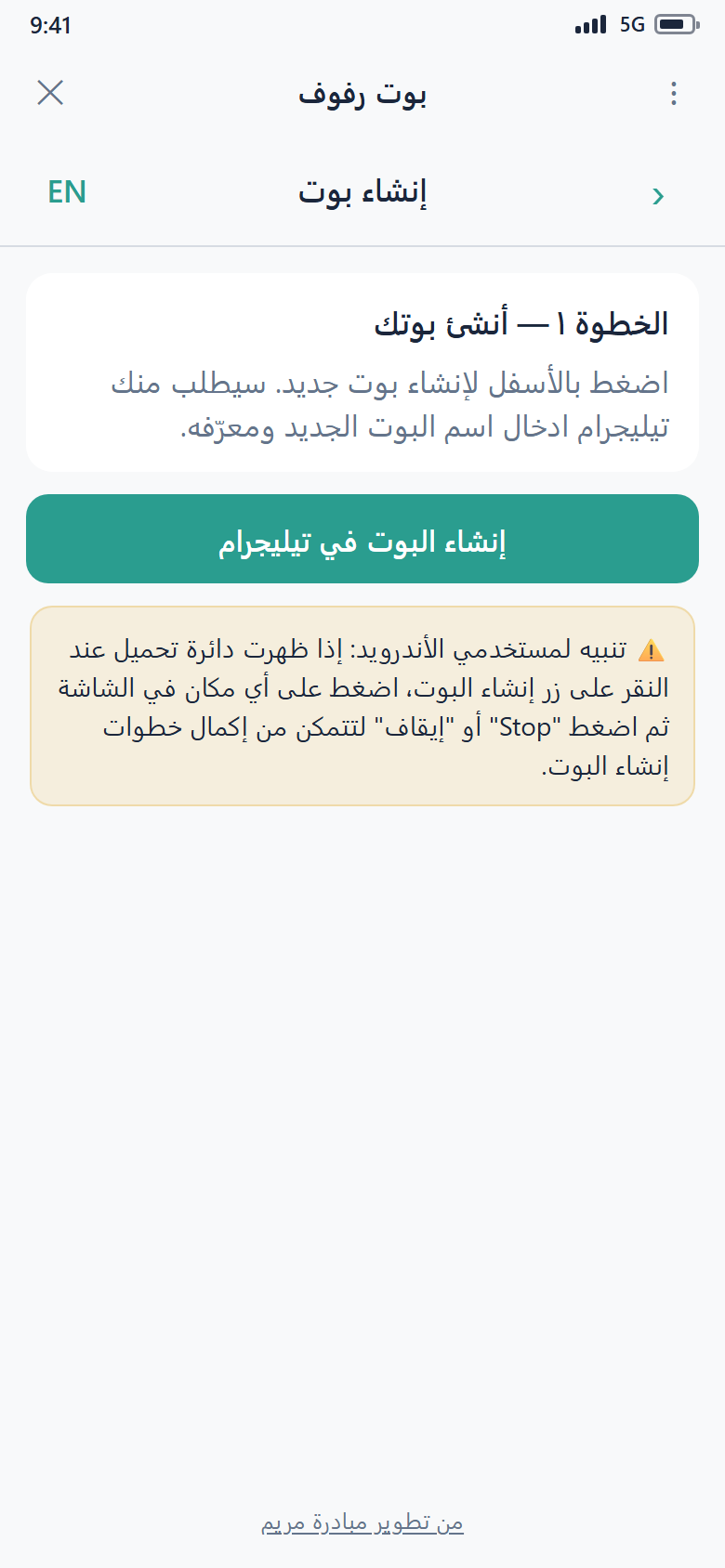
Android note
On some Android phones, tapping Create a bot shows a loading spinner. If that happens, tap anywhere on the screen, then tap Stop — you'll be able to finish creating your bot.
Step 2 — Add a storage channel
Your bot needs a channel to store its files.
Step 14.3 — On the Add a storage channel step, choose an existing channel or create a new one. Your bot is added to it as an administrator automatically.
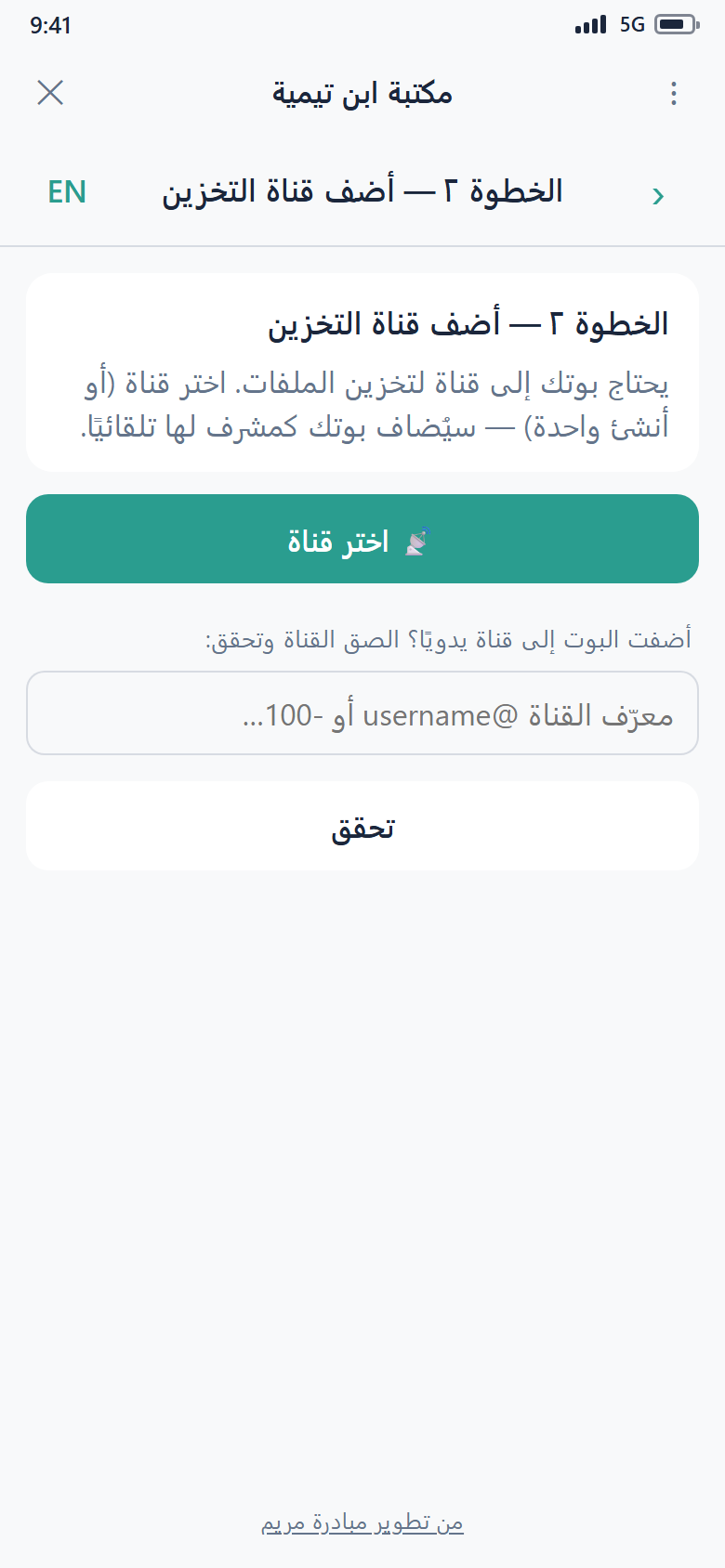
Once the channel is linked, the Mini App confirms it and prompts you to add some files and then submit the bot for approval.
Step 3 — Add some content
Before you submit, your bot needs at least one file, folder, or note. You can add content in any of these ways:
- Post files into your storage channel — they show up in the bot's Inbox, ready to file into folders.
- Organize what's there — create folders, add text notes, and arrange everything. See Organizing Your Content.
- Use the desktop app to upload a whole folder at once. See The Desktop App.
Step 4 — Submit for approval
Step 14.4 — When your bot has a channel and some content, open it and tap Submit for approval.
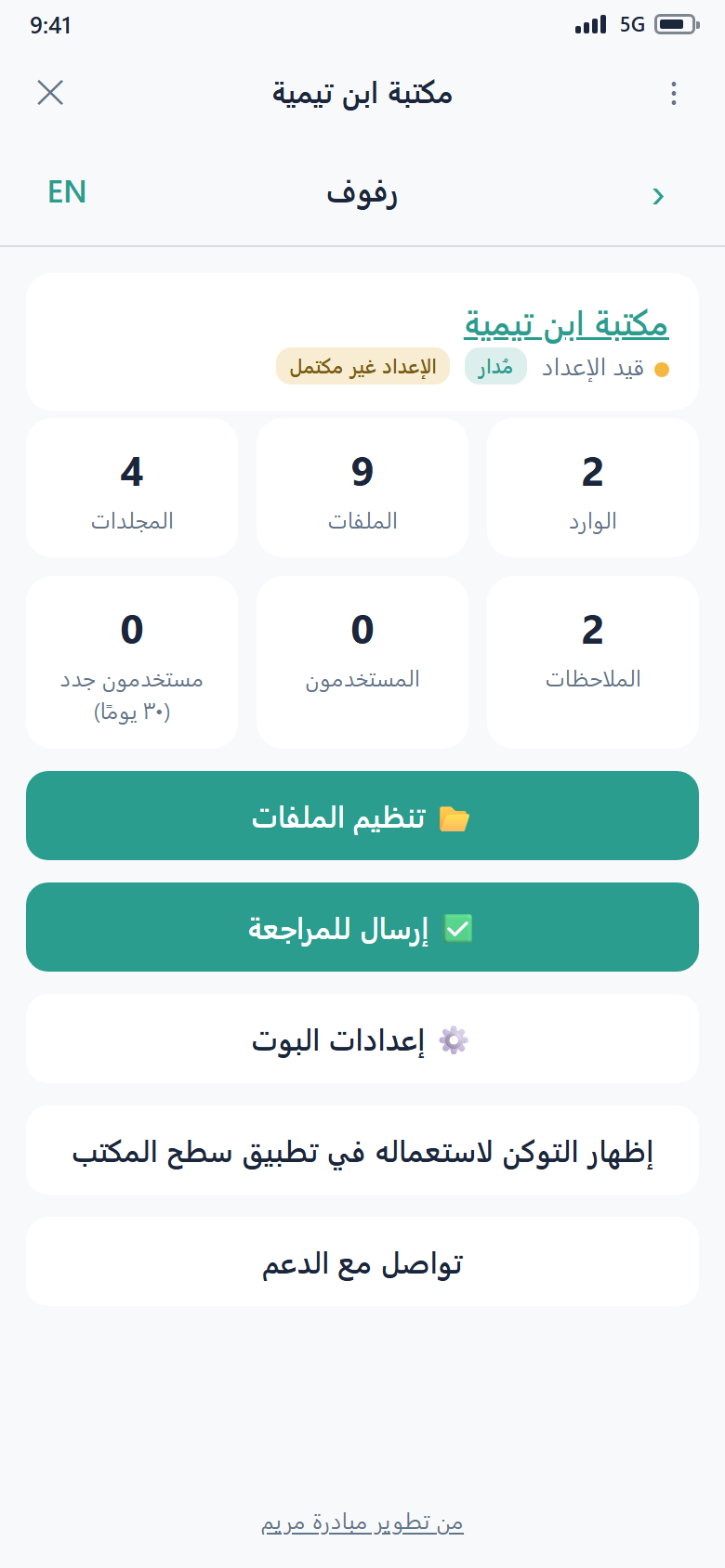
The Mini App confirms: "Submitted! You'll be notified here when it's approved. You can keep adding files meanwhile."
Every bot is reviewed by the Mariam Initiative team before it goes live to protect users. Approval typically happens within a few hours. You'll get a notification in Telegram once it's approved — then your users can find your bot by its @username.
Two things are required before you can submit
- A storage channel — otherwise you'll see "Add a storage channel first."
- At least one file, folder, or note — otherwise you'll see "Add at least one file, folder, or note before submitting."